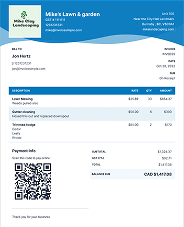
Here’s our collection of Free Excel invoice templates. For more templates, refer to our main invoice template page. Click on a template image to download the Excel file. Then fill out the customizable fields, and you’re ready to email or print the invoice. Before we dive in, check out our online invoice generator for an easy way to create an invoice for your projects that will look fantastic.

Excel Invoice Templates
Our Excel invoice templates are a simple and easy way to send professional-looking invoices to clients. Feel free to download, modify, and use any you like.

Free Downloadable Excel Invoice Templates
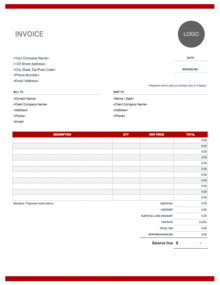
Modern Template
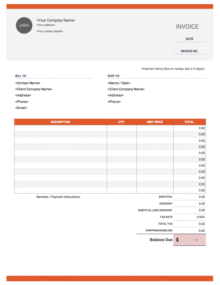
Letterhead Style Template
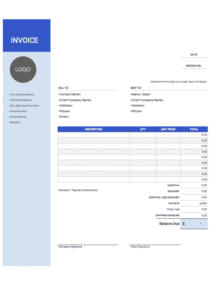
Classic

Printer Friendly

Wide Margin Template

Modern II

Create your first invoice free with our Online Invoice Generator.

Highlights of Excel Invoice Templates
- Completely free Excel invoice templates that are ready to send to clients.
- The templates automatically calculate subtotal and grand total amounts.
- Fully customizable templates to fit the needs of your unique business.
- Professionally formatted with all the essential invoice elements included.
- Printable invoice templates make hand-delivering invoices a breeze.
Microsoft designed Excel for working and representing large tables of data. It supports simple to complex formulas and is very flexible. However, it’s not known for being pretty. One of the reasons is that it’s usually used internally within a company.
Invoices, however, are documents that you send out to your clients. They are a representation of you and your company. You don’t want to use a shabby and unprofessional invoice design for the same reason that you don’t greet your customers wearing tattered clothing.
Some recommend using Word instead because of its built-in templates and layout management. Word makes it quite easy to create a professional invoice.
However, Word falls short in terms of practicality and usability. It’s very hard to add in a table of line items or calculate totals and taxes.
The best option is to use tools or software designed for making invoices. You can use these tools to gain the best of both worlds! Great convenience as well as amazing style.
That’s where we come in. We’ve built our online invoice generator to be a great alternative to Word and Excel. Here are some of the added benefits of using Invoice Simple:
- Professional layout
- Fully customizable
- Clients and items saved automatically
- Simple bookkeeping for tax season
- Online and in-person credit card processing
If you’re invoicing more than once or twice a year, it makes a lot of sense to switch to an invoicing software.
Customizing an Excel invoice template to match your brand is straightforward. Start by adding your company logo to the header. Use your brand colors for borders, text, and design elements to ensure consistency. Choose fonts that reflect your brand’s style. This way, your invoices will look professional and represent your company’s identity.
Efficiently manage multiple clients with one Excel invoice template by creating a customizable master template. Use a single workbook with a summary sheet linking to individual client invoices or separate files for each client to keep data manageable. Create a client list worksheet to store client details like names, addresses, and contact information, which you can reference in your individual invoices and use in tandem with other automations like an invoice email template.
While Excel doesn’t have built-in functionality for automated recurring billing, you can create a master invoice template and manually duplicate it for each billing period. Date functions can help automate some aspects, but true recurring billing is better managed with specialized billing software or additional scripts/macros.
To integrate Excel invoice templates with accounting software, export your data in a compatible format, such as CSV. Most accounting software allows CSV imports, streamlining your invoicing process. Some software solutions offer direct integration tools or plugins for Excel, enabling seamless data transfer and synchronization. Verify compatibility with your specific software beforehand.
Yes, you can use Excel invoice templates for multi-currency transactions. Add a currency field to specify the currency type for each transaction and use Excel’s currency formatting for the appropriate symbols. Create a table with current exchange rates and use formulas to convert amounts as needed. Note that Excel does not automatically update exchange rates, so manual updates or external data connections are necessary.
Ensure your Excel invoices are error-free by using data validation to restrict input types, such as numbers for amounts and dates for due dates. Employ Excel’s formula auditing tools to check for calculation errors. Regularly review and test your template, back up your files, have a second person review invoices, and use version control to track changes.
A good Excel invoice template should include:
- A professional layout with your company logo and contact information
- Clearly labeled sections for client details, invoice number, date, and due date
- An itemized list of products or services with descriptions, quantities, and prices
- Automatic calculation of totals, taxes, and discounts
- Space for payment terms (ex. Net 30) and methods
- Data validation to prevent input errors
Automatic calculations in Excel invoice templates use formulas. For example, the SUM function adds item totals, and the product of quantity and unit price calculates line item amounts. Use percentage formulas to calculate taxes. Ensure all relevant cells are linked correctly so changes in quantities or prices automatically update the totals.
Yes, you can track payments and due dates using Excel invoice templates. Include columns for payment status, due dates, payment terms, and payment dates. Use conditional formatting to highlight overdue invoices or pending payments. Set up reminders with Excel’s notification features to alert you of upcoming due dates so you know when to apply late fees.
Handling taxes in Excel invoice templates involves adding a tax rate field and applying it to the subtotal. Use a formula to calculate the tax amount and include it in the total due. Clearly label the tax rate and tax amount on the invoice for transparency. For multiple tax rates, use a drop-down list to select the applicable rate for each invoice.
Not finding what you're looking for?