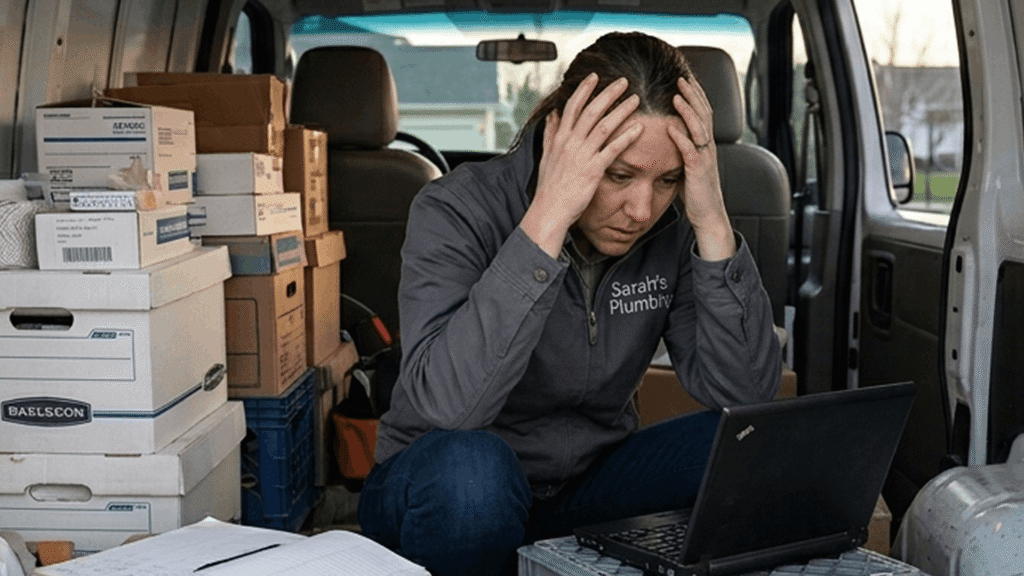
Imagine it’s Friday night. You’ve just finished your last job, and all you want to do is head home. But then you look at your dashboard. It’s covered in crumpled receipts, half-written notes, and coffee-stained invoices. If you’ve ever felt that Sunday night dread of having to sort through a week’s worth of paperwork, you’re not alone.
That pile of paper on your dash isn’t just a mess, but a risk to your livelihood. When your office is a truck, it’s easy for small costs to slip through the cracks. The truth is, 82% of small businesses fail because they lose track of their cash flow. Another 33% of owners end up using their own personal money just to keep the lights on.
This happens because “real” accounting software is just too hard to use when you’re on the move.
The best small business accounting software is tailor-made for people just like you. People driving between jobs. People taking on all the different facets of running a successful business themselves.
This guide covers a simplified take on accounting. We’ll share mobile accounting tips, including:
- Why enterprise accounting software doesn’t work for solo owners
- What you actually need to track to stay in control of your money
- How to run your accounting from your phone
- How to move from invoicing alone to end-to-end financial oversight
Why “Enterprise” Accounting Software Fails the Solo Go-Getter
Most big-name accounting tools aren’t built for the way you work. They assume you sit at a desk with a team to help you, but your “office” is your truck. When software is made for a cubicle instead of a job site, it creates friction that slows you down. You need a system that fits your life on the move, not a complex suite that takes hours to learn.
Most “Best Accounting Software” lists are written for companies with entire finance departments. Those reviews assume someone else is there to sort your receipts and handle the books. That just isn’t your reality. You’re the one doing the work and running the business at the same time.
You might send an invoice between jobs or log your costs in a parking lot. You might check your cash flow at your dining table after the kids are in bed.
When a tool is full of extras you’ll never use, it only causes confusion. You feel frustrated because there are:
- Too many setup steps
- Too many reports you don’t need
- Too much time spent learning menus
- Too much cleanup later
That frustration builds, and eventually, you stop using the software altogether. Your records fall behind, and you’re paying for a premium product that sits unused. This only adds to your overhead burden, which is the total cost of running your business.
Simple business accounting is the opposite. It fits your lifestyle like a glove. It’s got everything you’ll need and nothing you don’t.
The Core Essentials: What Do You Actually Need to Track?
You don’t need to be a math expert or track every single penny to stay in control of your cash flow. Most solo owners just need the big picture to make sure they’re actually making money. To keep your books in order, you only need to focus on three things: what’s coming in, what’s going out, and what’s left over. This simple focus creates the foundation for your income statements and keeps your records clean, so you aren’t guessing about your bank balance.
When you’re working in the field, you don’t have time for complex reports. You need to know your “numbers” at a glance. Stick to the basics and only track the things that actually impact your paycheck. Think of these three things as the heart of your simple business accounting:
1. What’s Coming In (Your Revenue)
Your revenue is all the money your business earns. It includes every job and every payment—no exceptions. If you miss entries here, you can’t trust your numbers.
How to track it:
- Record each invoice the moment you send it.
- Mark it paid as soon as the money lands in your account.
- Include payment processing fees so your totals stay accurate.
- Use a chart of accounts (a simple list of income types) to keep categories organized.
Why it matters: You’ll know exactly what’s been paid and what’s overdue. This leads to faster follow-ups and more cash in your pocket so you can plan your next job with confidence.
You could also use mobile bookkeeping software
Why track it: You know what’s been paid and what’s overdue. That means faster follow-ups and fewer missed payments. Cash comes in sooner, and you can plan your next job with confidence.
RELATED ARTICLE — Revenue Versus Income: Definition and Differences
2. What’s Going Out (Your Expenses)
Expenses are where most “money leaks” happen. If you aren’t careful, they’ll cause a big drop in your bottom line. You’ve got to know where your money goes every day, not just at tax time.
What to track:
- Daily costs like fuel, materials, and tools.
- Fixed costs like insurance, licenses, and software fees.
- Overhead burden: This is the total cost of just keeping your business open.
Together, these expenses contribute to your overhead burden.
Why track it: You see where your money goes each day. That means fewer leaks and better cost control. You claim more at tax time, too, and protect your profit on every job.
3. What’s Left Over (Your Profit)
Profit is the money that’s left after all your business bills are paid. It’s what you actually earn for your hard work.
Key things to know:
- Profit Margin: The percentage of each job you keep after costs.
- Markup vs. Margin: Markup is what you add to your costs; margin is what you actually keep.
- Income Statements: These reports should show these numbers clearly so there’s no guessing.
Why it matters: You’ll know if a job actually made you money. With this insight, you can tweak your pricing and protect your paycheck. Without it, you might stay busy but still fall behind financially.
Turning Your Smartphone into a Portable Accounting Department
You can run your accounting from your phone by recording income and costs as they happen. This removes the need for catch-up work later. When you capture data on the job, your income statements stay accurate. You’ll avoid the backlog that leads to stress and mistakes.
For a solo entrepreneur, your phone’s already your most important tool. You’re using it all day too:
- Take calls with new leads.
- Manage your schedule and work.
- Reply to customer emails.
- Market your business on social media.
But you can also transform that same phone into your own portable accounting department. One of the biggest pain points with old software is the delay. You finish a job, but you don’t send the bill for days, maybe even a week. That delay costs you. It halts your cash flow, which means you might not have the cash to buy materials for your next job.
You can leave those delays in the past with a mobile-first solution like Invoice Simple. You’ll be able to record expenses and send estimates and invoices right on the spot. This helps you avoid:
You can record expenses and send invoices on the spot. This helps you avoid:
- Duplicate entries from trying to rebuild your records from memory.
- Hours of stress spent sorting through a week’s worth of crumpled paperwork.
- Missed expenses like fuel or small tools that eat into your profit.
- Wrong totals from forgetting costs like payment processing fees.
When you handle your books as you go, you aren’t just “doing paperwork.” You’re protecting your time. Experience the benefits first-hand and try Invoice Simple today.
Manual Accounting vs. Mobile Accounting
Here’s what changes when you switch from manual accounting to mobile tracking:
| Task | Manual Accounting | Mobile Accounting |
| Recording income | 10 minutes later at home | 1–2 minutes on-site |
| Logging expenses | Batched weekly, some expenses missed | Logged immediately with receipt |
| Fixing errors | Frequent rework and checking | Minimal corrections needed |
| Total weekly time | 2–4 hours catch-up work | Under 1 hour total |
What’s more, your numbers become more accurate. This makes it easier to price jobs and manage your cash flow.
RELATED ARTICLE — How Fast Payment Processing Impacts Customer Satisfaction and Retention
How Simple Systems Protect Your Primary Income
A simple accounting system leads to more accurate data, and accurate data leads to smarter decisions. You’ll know exactly what you can afford to spend and what you need to hold on to. That clarity protects your primary income and ensures you’re actually getting ahead, not just spinning your wheels.
Your business is what pays your bills. When the stakes are high, having reliable records is non-negotiable. With clear data, you can make choices that’ll benefit your future. You’ll finally know:
- Whether you’ve got the funds to buy new gear.
- If you can finally take that vacation you’ve been dreaming of.
- If you’re ready to expand into a new service area.
Plus, using a business expense tracker and viewing your reports reveals where your money goes each week. You’ll see where you could cut costs without hurting the quality of your work. You’ll also spot if your overhead’s rising so you can adjust your pricing and keep your profit margin safe.
These insights protect and increase your take-home pay. For instance, maybe you’ll find you’ve got enough profit set aside for a new tool. That tool lets you finish jobs faster, so you can take on more work. You’ll bring in more revenue without having to work longer hours. That’s how you move from just surviving to truly thriving.
RELATED ARTICLE — How to Avoid Chargebacks in Business Accounting
Preparing for Growth: Moving from Invoices to Full Financial Oversight
Managing your full finances is the next step in your professional growth. Moving from simple invoices to total oversight is a clear sign of a successful business. It shows you’re an efficient professional who’s ready to lead their business to new heights. When you stop guessing and start tracking, you take total control of your future.
You’re already doing the hard part. You win jobs. You work hard. You invoice, and you get paid.
But invoicing alone doesn’t show if you’re truly thriving or just getting by. You need to know if you’re personally taking home enough money and if your pricing actually makes sense.
Many owners struggle with this with 33% of business owners losing sleep because their worrying about their finances. 29% hold back their own growth because of money challenges. If you’re not sure, chances are you’re booked and busy but only just getting by.
Making the move to full oversight changes everything. It’s like taking off a blindfold and finally seeing your path to success. You’ll learn which types of job really pay off and if you’re in a spot to invest in better gear. This kind of clarity turns a solo gig into a professional powerhouse.
The bookkeeping software feature adds even more value by doing the heavy lifting for you.
Once you’ve linked your bank, your data imports on its own so you aren’t stuck typing in numbers. The system automatically sorts your expenses and gives you clear reports like Profit and Loss right inside the app. Since your bills and your books stay in one place, you’ll always know exactly how your business is doing without ever having to touch a desk.
FAQs
Here are some common questions solo operators have about managing their accounting.