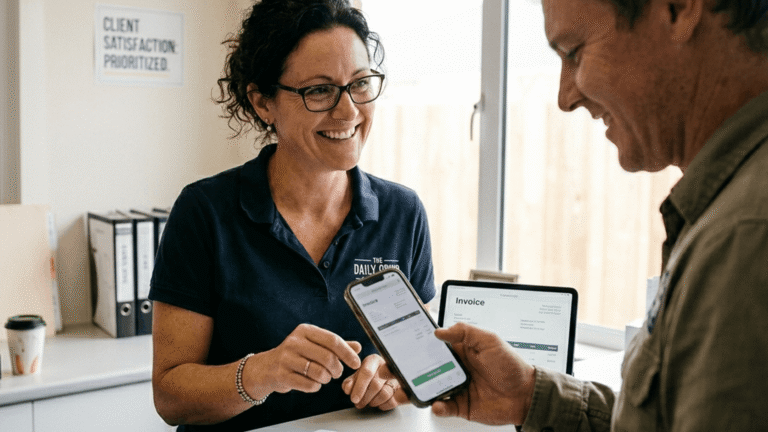
The best QuickBooks alternatives for solo owners are Invoice Simple, FreshBooks, and Wave. Each has different benefits. The right choice for you will depend on how you do business. All three are easier to use than software designed for large companies.
If you have experienced the “QuickBooks headache,” then you are using the wrong software. That complexity only slows you down, causing errors and adding stress.
Those mistakes cost you money. 41% of financial reporting mistakes is caused by human error.
Let’s fix that with the right setup, so you can reclaim 10, 15, or even 20 hours per week. That’s why finding the best accounting software for your business is so important.
In this guide we list QuickBooks alternatives that simplify your process.
You’ll learn:
- Which tools are easiest to use day to day
- Which option fits your type of work
- How to switch without losing your data
Let’s get started.
Why Many Solo Owners Search for a QuickBooks Alternative

QuickBooks often has too many features for a one-person business. You don’t need complex settings just to get paid. You need a fast way to send bills and track your cash. Most owners switch because big software takes too much time away from their actual jobs.
If you have ever opened an accounting software app and felt stuck or confused, you aren’t alone. It is a fine choice for accountants, but you are busy working on your business.
You work on the go. You travel between jobs and calls. Speed and ease of use are what matter to you.
Long menus and setup screens create an admin burden that eats into your paid hours. This is why many owners move away from big accounting software. They need tools that:
- Are made to get you paid fast.
- Use plain language you know right away.
- Work on your phone between jobs.
- Track the main essentials you actually need.
The Top Alternatives Based on Your Business Needs
The right software should reflect how you work, not how others work. Some tools are best for tracking every detail. Others are great for fast bills and quick payments. If you work in the field, speed and ease matter more than extra features you will not use. Your needs and the needs of a big company are very different.
That’s why we’ve pulled together three simple QuickBooks alternatives.
FreshBooks
Best for: Service-based work with regular small business expenses.
FreshBooks is worth looking into if you track time and manage projects.
You can:
- Create invoices with tracked time and costs included
- Scan receipts and sort expenses automatically
- Send payment reminders
- Track mileage and client activity in one place
You will need to sit down and sort out your books each day, which can be tricky if you’re always on the move.
Wave
Best for: Free basics with simple income and expense tracking.
Wave gives you core accounting tools without a monthly cost. It covers the basics if your setup is simple.
You can:
- Track income and expenses
- Send invoices and accept online payments
- View reports to understand your cash flow
Wave works best if your business is small or you’re just starting. It can feel limiting as your workload and business grows, or if you need faster workflows.
Invoice Simple
Best for: Mobile-first invoicing with the easiest user interface.
Invoice Simple is ideal if you work on-site. It is designed for your mobile device so it can move from one job to the next right in your pocket.
You can:
- Create estimates and invoices right from your phone
- Customize invoices with taxes, items, payment processing fees, and terms.
- Price jobs correctly by understanding markup vs. margin.
- Track payments without digging through menus.
- Accept payments and see what’s still unpaid.
Their bookkeeping features add even more value by doing the heavy lifting for you.
Once you’ve linked your bank, your data imports on its own so you aren’t stuck typing in numbers. The system automatically sorts your expenses and gives you clear reports like Profit and Loss right inside the app. Since your bills and your books stay in one place, you’ll always know exactly how your business is doing without ever having to touch a desk.
RELATED ARTICLE — 7 FreshBooks Alternatives for Your Business Needs
Comparing Complexity: Enterprise Power vs. Solo Speed

More features don’t always make a tool better for your business. Big software is powerful, but it takes a long time to learn. Solo-friendly tools focus on speed and clarity instead. You can finish your daily tasks fast because there are no extra steps in your way.
When you choose software, you are choosing how you spend your time. Some tools assume you sit at a desk all day. They have features for big teams that a solo worker does not need. On the other hand, some software companies are built for people who are always on the move.
Let’s compare:
| Category | Enterprise accounting software | Solo-friendly accounting software |
| Setup time | Longer setup with more configuration | Faster setup with fewer steps |
| Learning curve | Steeper and more technical | Easier to learn quickly |
| Daily use | Better suited to office-based admin work | Better suited to work on the go |
| Feature depth | Broad feature sets for complex operations | Covers core tasks you actually use |
| Approvals and permissions | Includes multi-level approvals and role controls | Usually simpler and more direct |
| Inventory tools | Might include advanced inventory tracking | May be limited or not included |
| Chart of accounts | Can require detailed setup and maintenance | Usually simpler and easier to manage |
| Mobile experience | Sometimes available, but not always the main focus | Developed with mobile use in mind |
| Speed of common tasks | Can take more clicks and more admin | Faster for quoting, invoicing, and tracking expenses |
| Best fit | Larger teams with more complex needs | Solo owners who need speed and clarity |
At the end of the day, your profit is what counts.
Having too many features can actually cost you money. It creates more work for you, which increases your labor burden.
A simple tool means the solution is simple. It will let you send bills instantly without any unnecessary extra steps. The faster you send the bill, the faster you get paid.
Invoice Simple: The “Ridiculously Simple” Choice for Field Work
If you work out of your truck or on-site, you need a tool that’s fast and mobile. Invoice Simple lets you make bills, track payments, and record costs in minutes, all on your phone. It stores everything in one place so you can stay organized without a desk. You get the clarity you need to run your business from anywhere.
When your schedule is full, admin work gets pushed aside:
- Notes pile up.
- Receipts get lost.
- Invoices go out late.
Invoice Simple changes everything. It’s the ridiculously simple solution that fits effortlessly into your day.
Here’s how it works:
- You finish a job and send the invoice before pulling out of the driveway.
- You scan a receipt right after a purchase, not weeks later.
- You check who has paid while sitting in your vehicle.
- You improve your cash flow, and you never once open a laptop. It all happens on your phone.
The user interface is a breeze to navigate, too. And the built-in expense tracker makes sure you’re ready to claim all expenses come tax time.
You can scan receipts with your phone camera as soon as you pay. Your costs are stored in one place and are easy to search for. When tax time comes, you can export your reports in seconds.
Linking your bank makes it even easier. Your transactions import on their own and get sorted for you. You just review them and see exactly how much money you are making at a glance.
Want to run your business from your phone? Subscribe now.
RELATED ARTICLE — How To Keep Up With Receipts for Your Business: 8 Best Ways
How to Switch Without Losing Your Financial History
You can switch to simple accounting software without losing your records. You’ll need to export your data, close out open invoices, and save a backup of your reports. Then, set up your new system and start tracking. Thanks to cloud accounting tools, your data is secure and ready when you need it.
You want to stop using QuickBooks, but you feel unsure. What if you lose all your data? How will switching to a new solution impact your income records and client details?
The good news is you most likely won’t lose any of your financial history. Just follow this three-step process.
Step 1: Export Your Clients and Records
Start by pulling your data from your current system.
Export what you actually need:
- Client names and contact details
- Past invoices for reference
- Basic reports for tax records
Most tools let you export this as a file. Save it in a secure folder. This gives you a backup you can access anytime.
Step 2: Finish or Close Open Invoices
Before switching, address anything that’s still unpaid. Send reminders and write off anything you won’t collect.
This step makes sure you start from a clean slate, so you don’t have to chase old payments in two systems.
Step 3: Start Fresh With Expense Tracking
Now, move into your new cloud accounting system.
Set up your basics:
- Add your services or pricing.
- Turn on business expense tracking.
- Connect your bank if available.
From this point forward, store everything in one place, and avoid mixing old data with new work.
FAQ
If you’re thinking about switching to a QuickBooks alternative, these are questions you might have. Here are quick answers you can use to make an informed choice.
Is QuickBooks too big for a one-person business?
If you only need invoicing, payment tracking, and expense records, it might slow you down. Plus, you’ll be paying for features you don’t use.