
Payments can be a strategic advantage, but only if you accept the right types.
Cash and checks? They slow you down. You might not look as established or professional, either.
Plus, fewer and fewer people use checks. A decade ago, 17% of person-to-person payments used checks. By 2024, that number fell to 6%.
Because of this, you could be losing jobs to competitors who do take cards, even when your work is better.
In this guide, we’ll explain exactly how to take credit card payments. You’ll learn:
- The quick way to set up credit card payments
- How different payment methods affect your cash flow and workload
- How to price your work with payment processing fees in mind
The Advantage of Digital Payment Flexibility
Cards and contactless payments are the norm now. If you accept them, it shows your clients that you run a professional, legitimate business. You don’t need to rely on cash or checks. This positions you for higher-value jobs where clients expect modern payment options.
Payments can be a strategic advantage. According to McKinsey, businesses “need to provide seamless and adaptable experiences that encompass a range of payment methods, channels, and compliance requirements.”
But when you only take cash or checks, you create friction. Clients need to plan around you, and that slows their decision-making.
In contrast, when you accept cards, it’s easier to say yes to the job. The client doesn’t need to take time out of their schedule to find their checkbook or visit a bank.
What’s more, accepting digital payments changes how people see your business. They might think you’re more:
- Professional
- Legitimate
- Trustworthy
- Reliable
- Safe
- Prepared
This is even more important when you’re going for big jobs. High-spending clients expect the simplest, most secure payment options. That’s usually credit card.
When you offer flexible payment options, you:
- Close jobs faster because clients can pay right away
- Reduce delays caused by missing checks or bank visits
- Increase trust by looking legitimate and established
- Become more competitive with contractors who already take cards
Cash flow speeds up, which can help you account for your labor burden and better manage markup and margin.

Card Readers vs. Digital Pay Links: Which Is Right for You?
You can accept credit cards on a phone with a mobile card reader or send a digital pay link. A reader works best in person, while pay links let you get paid from anywhere. If you travel between jobs, pay links usually give you more flexibility with less gear.
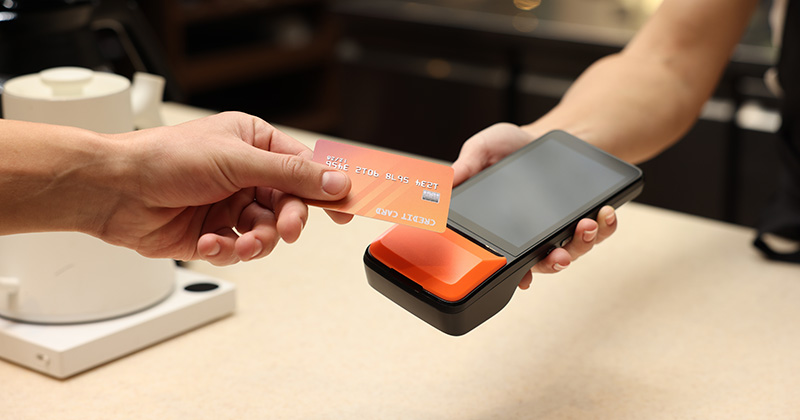
A mobile card reader is a small device that connects to your phone. It lets you take contactless payments, chip, or swipe on-site. It works best when you are face-to-face with the client and want to finish the job and payment in one step.
Digital pay links are secure payment links you send by text or email. The client opens the link and pays on their own device. This works well when you leave the site before payment or send invoices after the job.
Let’s compare the two:
| Feature | Mobile Card Reader | Digital Pay Link |
| Best use case | In-person jobs | Remote or follow-up payments |
| Equipment needed | Card reader device | Phone only |
| Speed of payment | Instant on-site | Fast, depends on client action |
| Flexibility | Limited to physical presence | Works anywhere |
| Client experience | Tap, insert, or swipe | Click and pay from their device |
| Setup effort | Requires pairing the device | Quick link creation |
| Risk of delay | Low if client is present | Slight delay if client waits |
If you’re trying to figure out which one is right for you, start by thinking about these questions:
- Do you usually collect payment right after finishing the job on-site?
- Do you move between multiple jobs each day without returning to one location?
- Do clients ask to pay later or after reviewing the invoice?
- Do you want to avoid carrying extra hardware during your workday?
If you answered mostly yes, a digital pay link might suit your workflow better.
If you answered mostly no, a mobile card reader could be a better fit.
It’s also okay to use both. That allows you to change your payment process depending on the nature of the job.
Understanding the Players: Merchant Accounts vs. Payment Processors
You can take card payments through a merchant account or a payment processor. Merchant accounts have contracts and fixed fees. Payment processors use a pay-as-you-go model that works well for small operators. Many solo contractors start with credit card payment processing through modern processors because setup is fast and costs are predictable.
You can take credit card payments using either a merchant account or payment processor. Let’s take a look at both.
What Are Merchant Accounts?
A merchant account is a dedicated bank account for card payments. Your funds pass through it before they land in your business account.
This approach is generally popular with larger businesses, as they take a bit of work to set up and maintain:
- You sign a contract with fixed terms.
- You pay monthly fees, even during slow periods.
- You manage more admin for the account.
This structure can increase your overhead burden. You pay for access, not just usage.
What Are Payment Processors?
A payment processor takes care of the transaction without a separate merchant account. You sign up, connect your bank, and start taking payments right away.
Examples include PayPal and Stripe.
Benefits include:
- You pay per transaction instead of a monthly fee.
- You can start taking credit card payments quickly.
- You manage everything through one app or dashboard.
- You scale usage up or down as your workload evolves.
RELATED ARTICLE — Credit Card Processing Fees: Everything You Need To Know
Why Many Small Businesses Opt for a Payment Processor
Most solo operators want a payment solution that fuels their growth. A payment processor can be exactly that.
Platforms like Stripe and PayPal are a breeze to set . They have minimal fees, require hardly any admin, and come with no long-term commitments.
Plus, as your business grows, your payments strategy can scale alongside it. You won’t have to rebuild your setup later.
From a practical standpoint, this cuts friction in your workflow. You spend less time on admin tasks and more time on paid work, which is a win for your bottom line.

The Impact of Digital Payments on Your Business Cash Flow
Credit card payment processing moves your money faster from client to bank. You can go from waiting weeks for checks to getting paid in days. Faster payments protect your income, reduce stress, and give you more control over future planning jobs.
Checks take a long time to process.
You finish the job, and then wait for the client to write the check. After that, you deposit it and wait again for it to clear.
Here’s what the timeline might look like:
- Day 1: You finish the job and send an invoice.
- Day 5-10: The client writes and sends the check.
- Day 10-15: You receive and deposit the check.
- Day 15-20: The bank clears the funds.
That delay affects your day-to-day decisions. You may hold off on buying materials or booking the next job.
Now, let’s compare that with the speed of small business payment methods like digital invoicing:
- Day 1: You finish the job and send an invoice with the payment link using an app like Invoice Simple.
- Day 1-2: The client pays by card.
- Day 2-3: Funds arrive in your account.
That is a big change. You move from waiting weeks to getting paid in days.
This protects your primary income, which you rely on to cover personal bills, fuel, materials, and supplies.
It also improves how you plan your next steps. You might:
- Buy materials without using personal funds.
- Book jobs with more confidence in your cash position.
- Pay for new tools or repairs.
- Invest in a business upgrade that allows you to offer higher-paid work.
If you don’t have an invoicing app that lets you add payment links, give Invoice Simple a try.
Standard Security Features Your Clients Expect
Your clients expect secure small business payment methods that protect their card details from the moment they pay. When you use a trusted processor, it manages encryption and PCI compliance for you. This reduces your risk and demonstrates to clients that you run a professional operation they can trust.
Every year, Americans lose $119 billion to online scams. So, people are wary of making payments. If something looks off or the process is unclear, they’ll hesitate. They’ll take a second to pause and double-check, which impacts your cash flow and creates more follow-up work.
Your clients expect your payment system to be secure. It should meet standards from the PCI Security Standards Council (PCI SSC), which apply to any business that takes card payment.
In addition:
- Card data should be encrypted during every transaction.
- Sensitive details should never be stored on your phone, device, or pieces of paper in your office.
- Fraud checks should run in the background during payments.
Failure to meet these expectations could lead to:
- Chargebacks
- Lost income
- Damage to your reputation
- Bad reviews
How am I supposed to run fraud checks and encrypt payment data?
You don’t have to if you use a trusted payment processor. They take care of it all for you.
Established processors use industry-leading security protocols to safeguard all transactions, yours included.
RELATED ARTICLE — How to Avoid Chargebacks in Business Accounting
FAQ
Have questions about taking card payments? Here are your answers.
Is it worth the transaction fee to accept credit cards?
– You get paid faster, which protects your cash flow.
– You spend less time chasing payments, lowering your overhead burden.