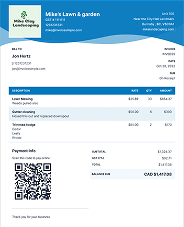
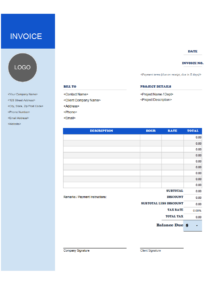


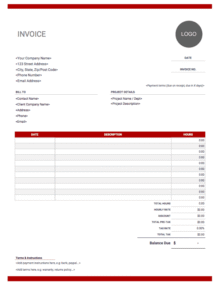
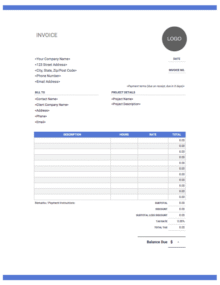
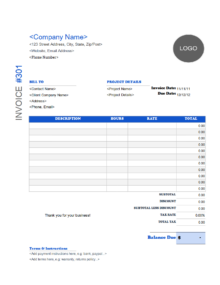


Here’s our collection of free consulting invoice templates, refer to our main invoice template or view our online invoice generator to easily customize your own invoices to bill your clients.

Consulting Invoice Templates
Consultants provide invoices to clients to ensure payments are made promptly and in full. If you don’t have an invoice template for your business or you need to create a new consulting invoice that’s easier for you to use, we can help.

Downloadable Free Consulting Invoice Templates

Create your first invoice free with our Online Invoice Generator.

How can I get paid?
You’ve got your consulting invoice ready to go, but what about actually getting paid? If you’re looking for the fastest, most convenient way for your customers to pay you, you’ll need to know how to accept payments online.
Step 1: Choose a Payment Processor To start, you’ll need to choose a payment processor that works for your unique consulting business. Consider whether it’s an all-in-one solution or if you’ll also need a merchant account and/or payment gateway. Factor in the fees, too.
Step 2: Set up Payment Options Once you’ve got your system set up, it’s time to think about how you’ll offer your customers user-friendly ways to pay you online. You could include a secure checkout form on your website, or you could plan to send invoices or payment links via email or text.
Step 3: Offer Multiple Payment Methods Figure out which kinds of payments you want to accept. For example, Invoice Simple Payments makes it easy for customers to pay you online via credit or debit card, ACH bank transfer (US only), PayPal, or Venmo (US only). The more options you offer, the more convenient it is for your customers, and the more likely you are to get paid on time!

You can use invoices for your records and to inform your clients of the services provided. Your consulting invoice should include as much information as possible and be clear and unambiguous.
The top of the invoice should include:
- Your company logo.
- Business information and contact information.
- The invoice number and the date the invoice was created.
- You can also include when payments are due.
It should then include your client’s information. After that, an overall description of the project and your consulting role.
From there, use the consulting invoice template to list a breakdown of the consulting services you provided and their cost. You can either provide an hourly rate or per item rate.
Beyond the itemized list, write out any terms and conditions you have for your work. For example, the length of the contract, the payment structure, and the methods of payment you accept.
The bottom should include a subtotal, the taxes, if applicable, any discounts or pre-payments, and the total owed by the client.
You can also create custom invoices with our online invoice generator.
You want to clearly show how much your services cost and how much time you spent on the consulting. After all, that’s the whole point, and using a consulting invoice template makes it much easier.
Include a brief description of your services, your fees per hour, the hours spent on each service, and the total cost for each service. Make sure you use the appropriate method for calculating time if you don’t bill per hour for your services.
When you break down the services like this, it’s easier for the client to see where their money is going. Instead of seeing one large total, they can see smaller totals for each service you provide and find out how exactly their money is being spent. Additionally, if you refer to the invoice in the future, you can easily see what services you provided and how long you worked on them.
If you’re looking for different formats and invoice layouts, be sure to check out our invoice templates page.
The most important part of the invoice is the final total due. This is figured by adding the subtotals and any applicable taxes, then subtracting deposits or discounts. Beyond this, you’ll want to include the payment terms you’ll accept.
To avoid confusion or surprise, consider keeping everything upfront using a pro forma invoice.
Payment terms help you ensure the client clearly understands when and how to pay their invoice in full and whether you’ll accept a payment plan. Make sure you clearly state the methods of payment you accept, when the total amount is due, and whether there are any added fees if the total is not paid in full by the due date.
You need a consulting invoice template you can use for every client that fits your work.
Not finding what you're looking for?